.png)

Accurate books are the foundation of every sound business decision, from pricing and hiring to taxes and financing. But accurate books don’t happen by accident. They come from consistent habits, performed on schedule, month after month. A well-built monthly bookkeeping checklist turns that consistency into a repeatable process, so nothing slips through the cracks and your financial picture is always current.
This guide walks through the monthly bookkeeping tasks every business should complete, explains how they fit into a month-end bookkeeping process, and shows how to build a rhythm that keeps your records clean year-round.
Why a Monthly Bookkeeping Checklist Matters
Many business owners treat bookkeeping as something to catch up on when tax season approaches. The problem is that small errors compound. A missed receipt in March becomes a mystery transaction in December. An unreconciled account in June can hide a duplicate payment or fraudulent charge for months.
A monthly cadence solves this by catching issues while they’re small and the details are fresh. It also gives you timely financial statements, which means you can see whether you’re profitable, how much cash you have, and where costs are creeping up while there’s still time to act. Lenders, investors, and tax authorities all expect records that are complete and current, and a monthly routine is the most reliable way to deliver them.
Before You Begin: Gather Your Documents
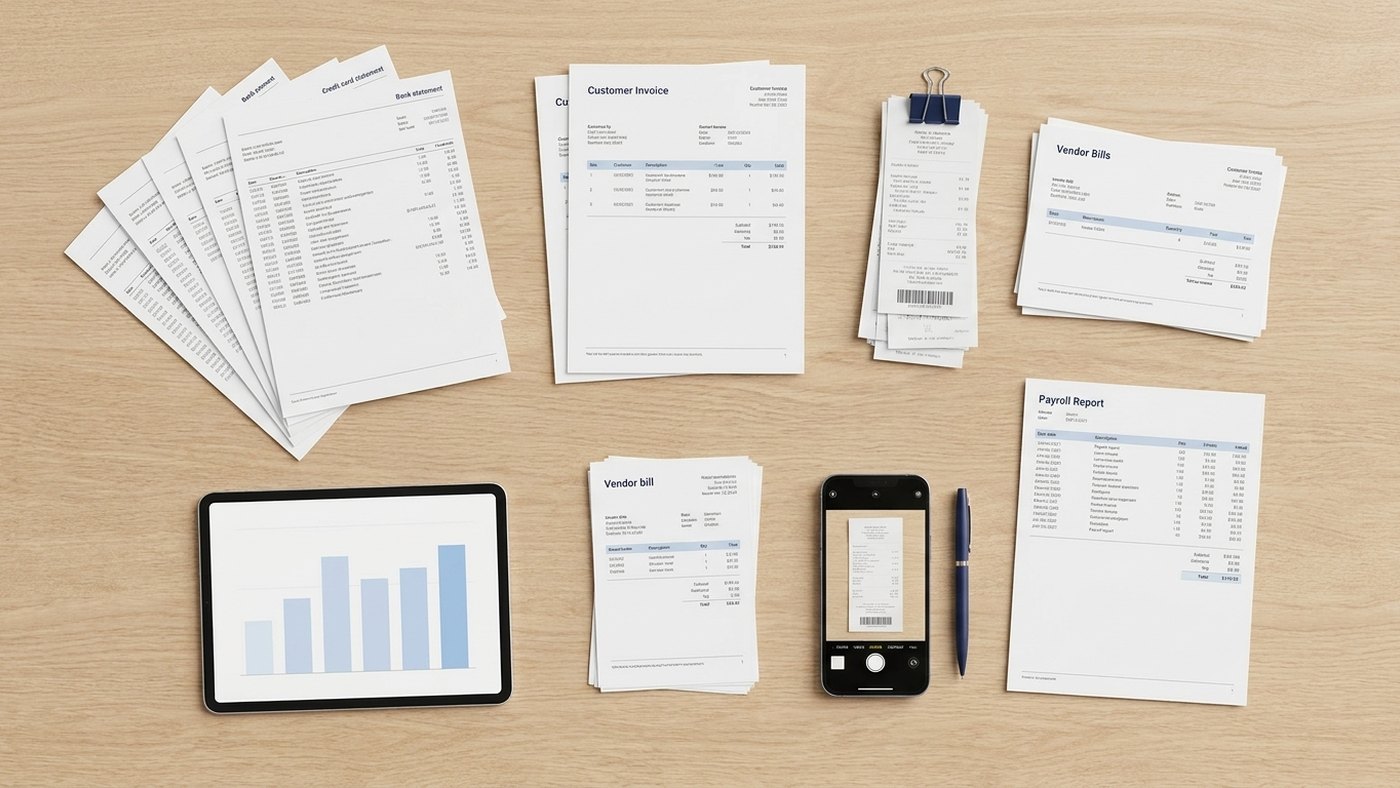
Smooth month-end work starts with having everything in one place. Before you start, collect:
- Bank and credit card statements for the month
- Sales reports or invoices issued
- Vendor bills and expense receipts
- Payroll reports
- Loan or lease statements
- Statements from payment processors, such as Stripe, PayPal, or Square
If you use accounting software with bank feeds, much of this will already be imported, but you should still confirm that nothing is missing or duplicated.
The Month-End Bookkeeping Checklist
The following steps make up a practical month-end bookkeeping checklist. Work through them in order, since each step builds on the one before it.
1. Record All Income
Make sure every sale, invoice, and deposit for the month is entered in your books. Match deposits to the invoices or sales they correspond to, and confirm that revenue is recorded in the correct period. If you sell through multiple channels, reconcile each one separately so nothing is double-counted or omitted.
2. Categorize and Record Expenses
Review every expense transaction and assign it to the proper account in your chart of accounts. Consistency matters here. A business that books software subscriptions under “Office Supplies” one month and “Software” the next will struggle to produce reliable reports. Attach receipts or documentation to each transaction, and flag anything personal that was paid from a business account so it can be handled correctly.
3. Reconcile Bank and Credit Card Accounts
Reconciliation is the heart of the month-end bookkeeping process. Compare the ending balance in your books against the ending balance on each bank and credit card statement. Differences point to missing transactions, duplicates, timing issues, or errors. Resolve every discrepancy before moving on. Reconciled accounts are your best defense against both honest mistakes and fraud.
4. Review Accounts Receivable
Run an aging report to see which customer invoices are current and which are overdue. Follow up on anything past due, and consider whether any balances should be written off as uncollectible. Healthy receivables management protects your cash flow, and an aging review each month makes late payments visible early.
5. Review Accounts Payable
Confirm that all vendor bills received during the month are entered, and review what’s coming due. Check for duplicate bills, and make sure early-payment discounts or late fees are accounted for. Knowing your upcoming obligations helps you plan cash needs rather than scrambling to cover them.
6. Process and Reconcile Payroll
Verify that payroll expenses, employer taxes, and benefits contributions are recorded accurately. Reconcile payroll reports to your general ledger, and confirm that payroll tax liabilities have been paid or are properly accrued. If you pay contractors, make sure their payments are tracked so year-end reporting goes smoothly.
7. Record Adjusting Entries
Some transactions don’t coincide neatly with cash movement. Adjusting entries ensure your books reflect the true financial activity for the month. Common examples include:
- Accruals for expenses incurred but not yet billed, or revenue earned but not yet invoiced
- Prepaid expenses, such as annual insurance, spread across the months they cover
- Depreciation on equipment, vehicles, and other fixed assets
- Deferred revenue for payments received before the work is delivered
8. Reconcile Sales Tax and Other Liabilities
If you collect sales tax, confirm that the amount collected matches what your records say you owe, and that filings and payments are on schedule. Also reconcile loan balances, lines of credit, and other liability accounts against lender statements so interest and principal are recorded correctly.
9. Review the Trial Balance
Run a trial balance and scan it for anything unusual: accounts with unexpected balances, negative amounts where they shouldn’t be, or categories that look far higher or lower than normal. This quick review often surfaces miscoded transactions that would otherwise distort your reports.
10. Generate and Review Financial Statements
With the books balanced, produce your core reports: the profit and loss statement, balance sheet, and cash flow statement. Compare them against the prior month and the same month last year. Ask what changed and why. This is where bookkeeping turns into insight, and where your monthly financial close checklist earns its value.
11. Close the Period
Once everything checks out, lock the period in your accounting software so past entries can’t be changed accidentally. Back up your records and file supporting documents in an organized system. A formal close creates a clear audit trail and prevents the quiet, after-the-fact edits that cause reporting headaches later.
Recurring Bookkeeping Tasks Beyond the Month-End Close
Not every task fits neatly into a single monthly pass. A strong routine layers in recurring bookkeeping tasks at different intervals.
- Weekly: Categorize new transactions, send invoices, record deposits, and review cash position. Handling these weekly shortens month-end considerably.
- Quarterly: Prepare and pay estimated taxes where applicable, file payroll tax returns, review budget versus actual results, and reassess your chart of accounts.
- Annually: Issue 1099s and W-2s, reconcile fixed asset records, review inventory counts, close the fiscal year, and organize documentation for your tax preparer.
Thinking about bookkeeping tasks by month across the calendar year also helps. January typically brings information returns and year-end cleanup. The spring months center on tax filing and prior-year review. Mid-year is a smart time for a financial checkup and budget adjustment, and the fall is ideal for tax planning, year-end projections, and making sure nothing is outstanding before the books close. Mapping these to a calendar means deadlines arrive as expected events rather than surprises.
Common Month-End Mistakes to Avoid
Even diligent teams run into the same pitfalls:
- Skipping reconciliations because the numbers “look about right”
- Mixing personal and business spending, which muddies records and complicates taxes
- Inconsistent categorization, leading to unreliable reports
- Letting receipts pile up instead of capturing them as expenses occur
- Closing late, which makes errors harder to trace and decisions harder to time
- Ignoring the financial statements, which wastes the most useful output of the whole process
Most of these come down to consistency. A written checklist, a set schedule, and clear ownership of each task go a long way toward preventing them.
When to Bring in Professional Help
A monthly close can take several hours or more, depending on transaction volume and complexity. For many business owners, that’s time better spent serving customers and growing the company. If your books are regularly behind, or you’re unsure whether your reconciliations and adjusting entries are correct, it may be time to consider professional bookkeeping services. A dedicated professional can run the month-end process on a fixed schedule, keep your records audit-ready, and deliver financial reports you can actually use.
Cost is a natural question, and it helps to understand what you’d be paying for before you decide. Reviewing bookkeeping pricing can give you a sense of how fees are structured and what level of support fits your business, whether that’s a basic monthly close or more comprehensive financial reporting.
Putting Your Checklist Into Practice
A checklist only works if you use it. A few tips for making it stick:
- Set a fixed close date. Aim to finish within five to ten business days after month-end.
- Assign ownership. Every task should have a named person responsible.
- Use consistent tools. Standardize your accounting software, naming conventions, and document storage.
- Document your process. Write down the steps, so the process survives staff changes.
- Review and refine. After a few cycles, adjust the checklist to match how your business actually operates.

Work with Danzinger & Co.
A reliable monthly bookkeeping checklist keeps your financial records accurate, your cash flow visible, and your tax obligations under control. By working through income, expenses, reconciliations, adjusting entries, and financial statements in a consistent order, you build a month-end habit that pays off all year. Whether you manage the process in-house or hand it to a professional, the goal is the same: books you can trust, delivered on time, so every decision you make rests on solid numbers.
If you’re looking for a team to support your bookkeeping and business, Danzinger & Co. can help. Our expert team will help get your books in order and provide top tier bookkeeping services for your business.